Complete a job at the Recording Terminal
A work order has no planned quantity: it keeps running until the operator says it is finished. When the last bag is done, the operator presses Complete on the Recording Terminal. The machine is then free for the next job.
Quick steps
- Production → Recording Terminal, press your machine
- Press Complete
- Check the work order number, then press Yes, the job is complete
1. Open your machine
In Production → Recording Terminal, press your machine. The running job shows at the top with its buttons below.
2. Press Complete
Press Complete.
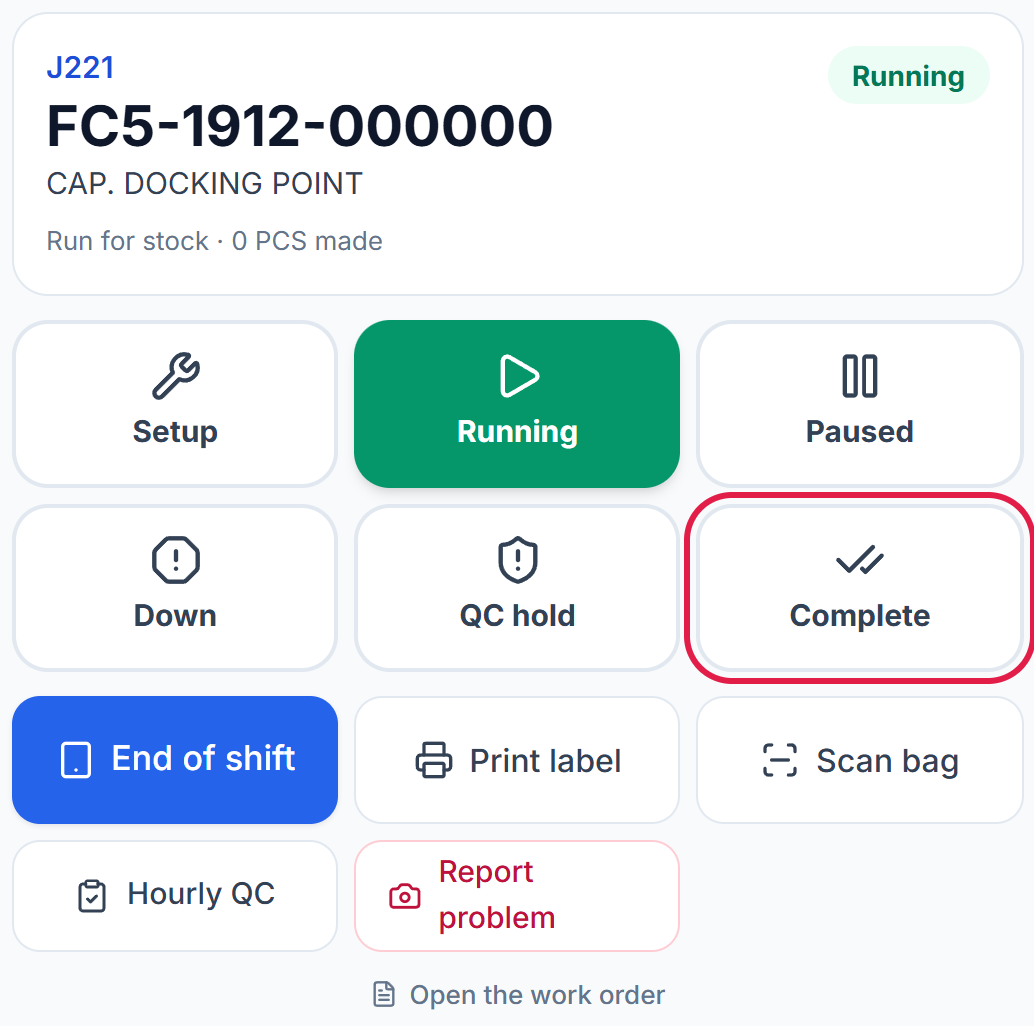
If this shift's output is not recorded yet, press End of shift and save it before you complete the job.
3. Confirm
A window asks Complete J…? Check that the work order number is the job you have just finished, then press Yes, the job is complete.
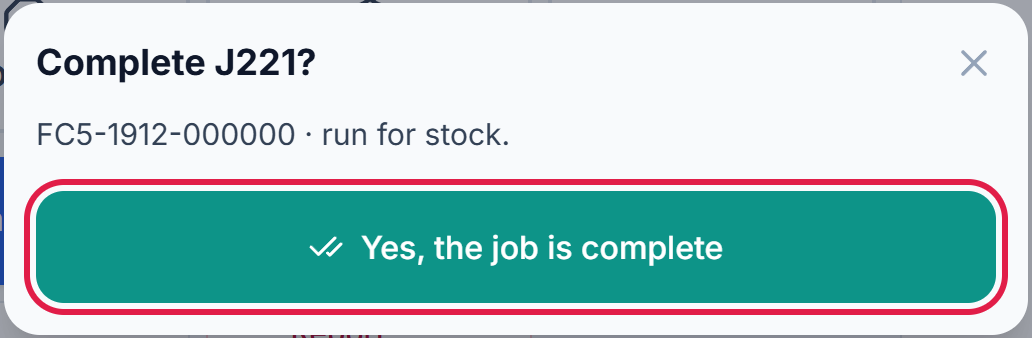
Pressed Complete by mistake? Close the window with ×. Nothing changes.
4. The machine is free
The job is gone from the machine. If another work order is waiting on this machine, it shows next, ready to START.

The work order now reads Completed. It cannot be started again.

A completed job cannot be reopened at the terminal. If the same item must run again, a supervisor creates a new work order.
Complete the work order you started on ATP-02 in the last guide. Then check on Work Orders that it reads Completed.